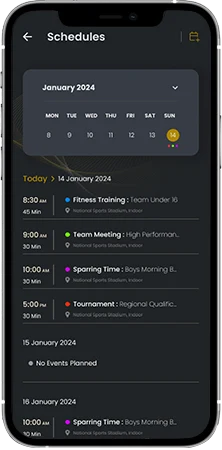
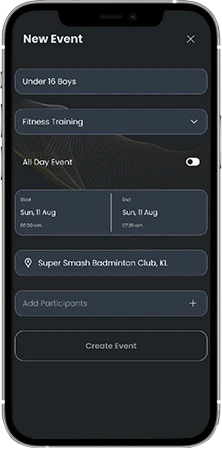
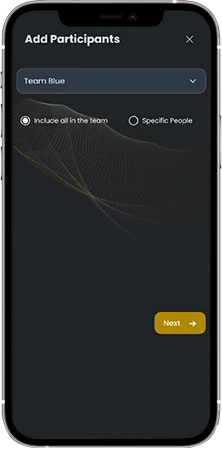
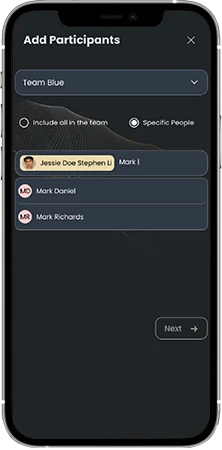
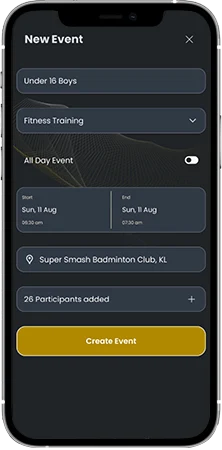
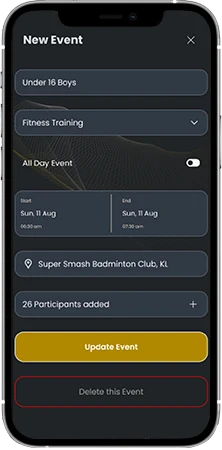
Academy Event Management Guide Academy Management 1. Academy Planner2. Add Participants to the event3. Save and Add to Calendar Menu 1. Academy Planner2. Add Participants to the event3. Save and Add to Calendar Step:1 Academy Planner As a head coach of the academy, you can create all the events in your academy. You can create generic events and also specific to any one team or one player Step:2 Create Events Give a name for your team Enter the required details about the even which you want to create like the Event type, Date and time, location. Step:3 Add Participants to the event Select “Add Participants” option Select a team Select “Include all in the team” option if you want everyone from that team to added as participant to this event Step:4 Add Specific People Select “Specific People” option if you want to include only few players and coaches to this event. Use the search box to search and all people to this event Step:5 Save and add to calendar Once all you participants are added, you can create the event and add it to your academy calendar Step:6 Update and delete events You can click on the same event in your calendar and edit the details. You can also, delete an event using the same option