Player Performance Management Guide
- Player Performance Management
Menu
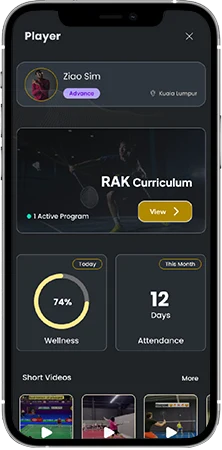
Step:1 Player performance management
- From the teams section, you can select any of the player to view the player performances
- You can get all the player related data, stats, curriculum and much more from this one section.
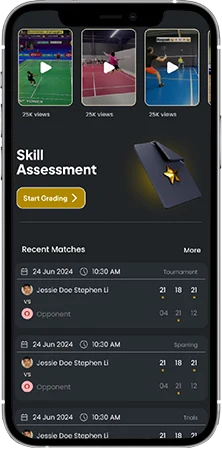
Step:2 Player Data
- Access individual player modules like
- Training Curriculum
- Wellness report
- Attendance
- Player videos
- Skill assessments
- Match scores
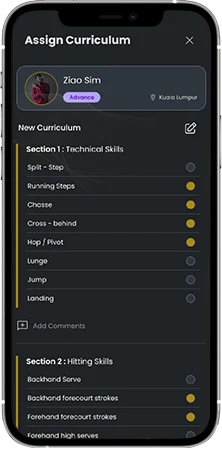
Step:3 Training Curriculum
- You can create a new curriculum program for your players
- Select from the options and curate a training program
- Add your comments
- Set validity date on how long the player has to follow this routine
- Automatically the player will get this program in his app.
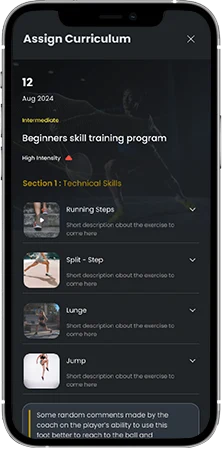
Step:4 Share and get feedback
- The player can access the program you have shared with him
- Players can read the descriptions and added videos to understand more about each of the training plan.
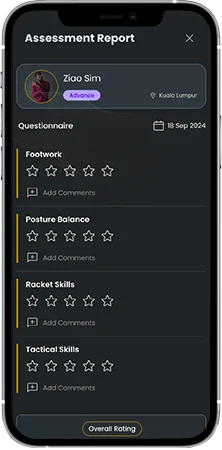
Step:5 Skill Assessment
- Use our assessment template to do a basic skill assessment test
- Enter your feedback as star ratings and comments for each of the skill
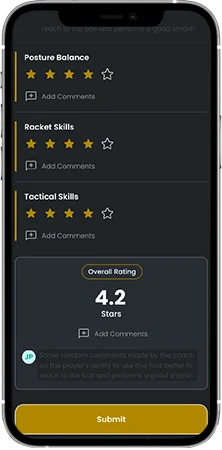
Step:6 Add Overall comments and set goals
- Get an overall star rating for the player
- Add your overall comments and goals for the players
- Submit and share it with the player instantly.
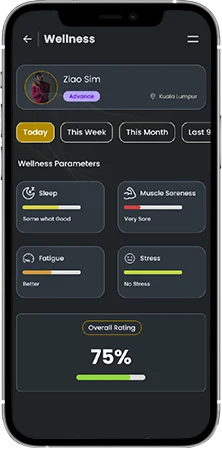
Step:7 Player daily wellness
- Monitor the daily wellness parameters of the player
- Track the deviation is any of the individual parameters from here.
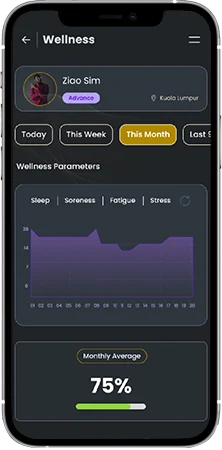
Step:8 Weekly, Monthly and Quarterly reports
- Get consolidated trend reports for weekly, monthly and quarterly durations.
- Understand the player wellness deviation at a greater level.
- Corelate the wellness data with the player’s match and training performance.
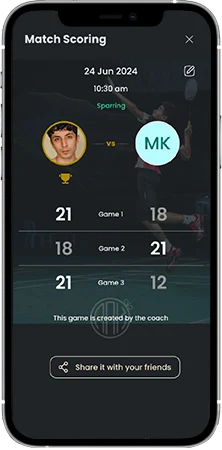
Step:9 Player match scoring
- Track all the match scores of the player
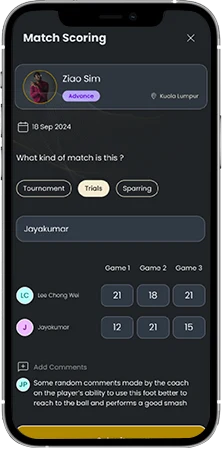
Step:10 Match scoring
- Select the player
- Enter the match type
- Enter the opponent name
- Enter the points for each game
- Add your comments
- Save the match
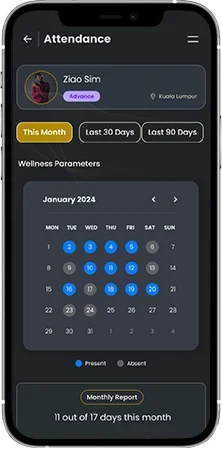
Step:11 Player attendance report
- Monitor player attendance on monthly basis
- Check data for last 30 days and last 90 days
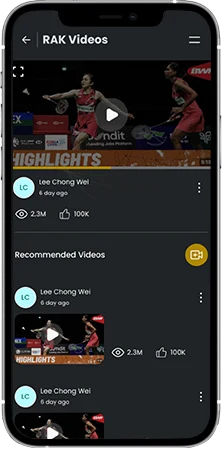
Step:12 Player Videos
- Check all the player videos from this section.